As a complete beginner, what can I do with a raspberry pi 4b?
I’m basically completely new to networking and currently setting up a NAS. I have this raspberry pi 4b that I got but now can’t think of a use case for it…
Any ideas of something that is very useful to host or have running on the pi4b?
Edit: I’m a complete beginner, and will use trunas on another server with jellyfin so my raspberry pi gets blown raspberries atm 👎
I made mine into a laptop. Its decent at doing most things.
deleted by creator
Sell it
I’m dead serious. They can go for a decent price which should cover the cost of a X86_64 machine
Whats an x86_64 equivalent of a pi these days? I’d love to find one, especially worried if pi goes the way of Arduino
Check out the Futro S740. It is more powerful than the pi, uses comparable power and still quite compact.
They can be found (in Germany at least) for 40€ with 4gb RAM and about 50€ for 8gb of ram. Ram is upgradeble, so is storage.
If you want something (much) more powerful, there is the Lenovo tiny line, for example the m710q or m720q (one cpu generation newer).
Much appreciated will check it out! 😃
If they’ve already got a 4B there’s no reason not to use it for one of the many low-power low-profile uses, especially when the cost of PC components is going nuts now
idk about a 4b these days but the 5’s are stupid priced. You can get a refurbed 6th gen intel machine with 16gb of ram and an SSD for the price of a 4Gb Pi 5. Add an ESP32 running ESPhome or Firmata and you’ve got everything you could do with a Pi and a lot more.
Got a link? I’d love to get me one of those
Something like the HP EliteDesk 800 G2 will do the trick, they are all over eBay
Why would I want a x86 machine if all I need runs so well on my Pi and uses like under 5 Watts?
The mini-pcs that people typically recommend use around that at idle, and are much more powerful and have more reliable storage. But if you all you need is a Pi that’s fine of course.
What are the mini PCs people typically recommend?
Lenovo Tiny series for example, and I believe there are HP and Dell equivalents.
That’s a pretty big computer. It’s bigger than an American pickup truck. God damn!
Load bearing Mac Mini vs gigantisch raspberry pi. Wonder who would win in a fight?
Pihole. Protect your network from ads.
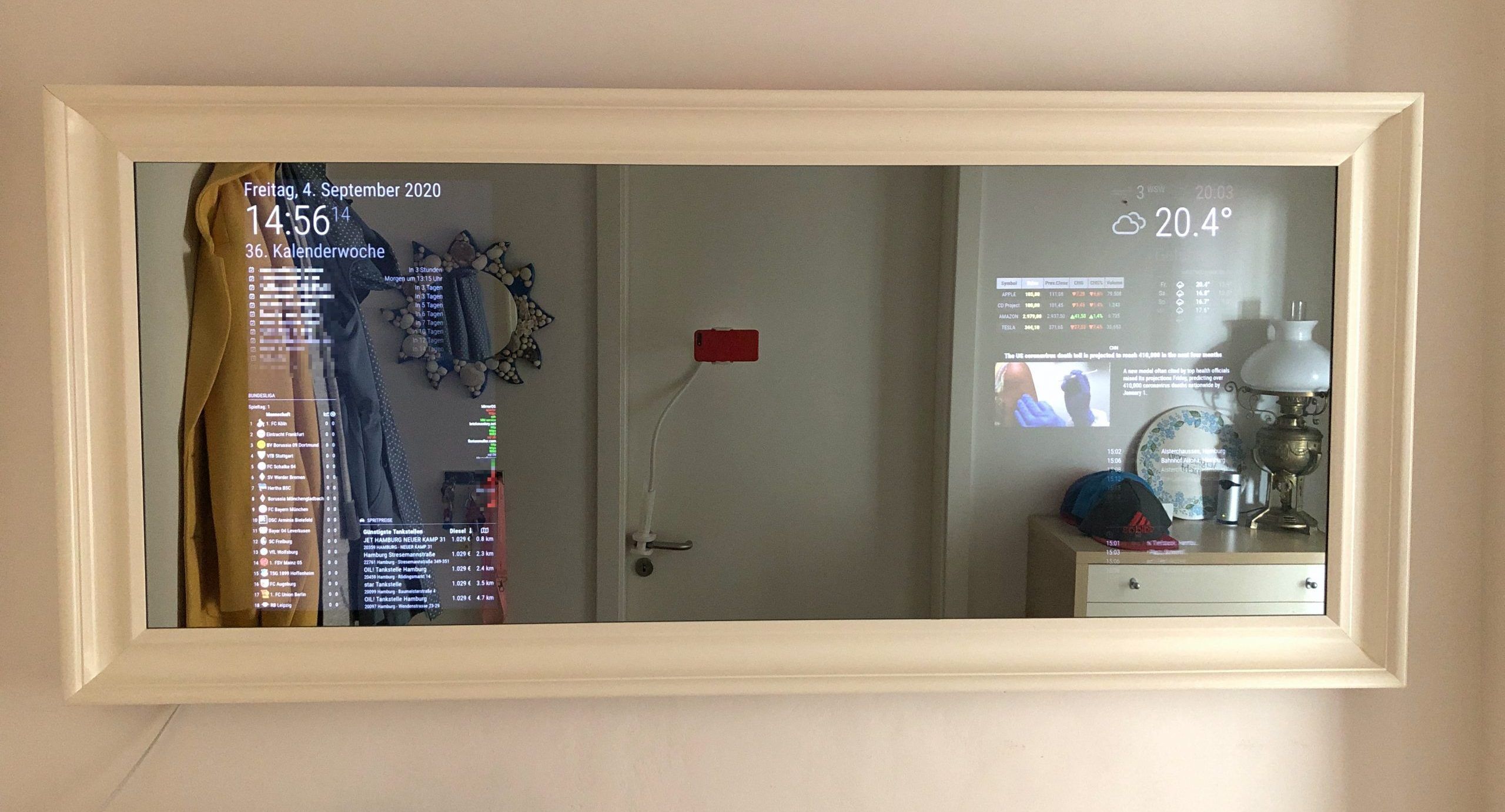
I use them from time to time. Sometimes to tinker on, or have a specific purpose. For instance one runs a display that I can shuffle through all my surveillance cams. One runs a Magic Mirror. Pretty neat little project with useful applications.
I use mine as a low power server. Whenever I feel like tinkering with a website or something, I can just ssh into it without thinking about electricity usage. Jellyfin and such is also a good usecase
I got my Pi4 to be a media player - LibreElec or Kodi - for my old, not-smart TV. It plays my library of CDs&DVDs, frontend for OTA TV, and a variety of streaming services. Fanless, so it doesn’t distract from audio, low power, so I don’t mind leaving it on 24/7. You can configure it to listen to a USB IR receiver, but I control mine from phone via web. The actual media library/NAS and tvheaded run on an old desktop in another room.
My favorite thing is all the sensors you can hook up. Adafruit & Sparkfun have a wide array of sensors with breakout boards for simplicity and well documented python libraries. I started just logging temperature, humidity, then air quality, CO2 to my own database and web page, but eventually expanded to full HomeAssisstant system.
Pihole.
@tburkhol @rook Protip for Pi4B TV usage: if your TV has a USB port, you might be able to power the Pi from it. I turn the TV on and my 4B gets power from it, boots up, and starts Kodi (I’m using libreelec) automatically. When I turn the TV off, the TV hardware stays powered for like 5 mins before going into a low power mode which kills power to the Pi.
many don’t deliver enough power for a Pi 4.
Keep swapping the OS (or have different memory cards) and play around with whatever software you come across that peaks your interest.
I’m using Pi-hole for half a year now and am super happy. What is unbound?
A DNS service that gets all its DNS data directly from “root servers”, without the middlemen (like your ISP, Google, Cloudflare, etc).
Unbound is just an alternative to bind. Pihole does not handle full-fledged DNS functions like zone transfers and start of authority records.
I wouldn’t recommend network apps to a complete beginner. They might loose their network for a while and get afraid of tinkering. My 2p
I’d recommend technitium over both pihole and adguard these days. Its an actual DNS server vs just a sinkholr, had recursive resolving out of the box, Root server mirroring at the click of a button, cluster mode etc
Pihole+unbound, navidrome for your music. Tailscale for remote connection to your music. Setup your own photo library with immich. An invidious instance
A Pi 4 can do quite a bit. Maybe start off with some Docker apps. Try and host PiHole for ad blocking at home?
I installed mainsail os and use it as my main controller for my 3d printer, sounds complex but it just needs a usb cable and the firmware can upload itself
What’s currently running on mine:
- 10 commodity SSDs through a powered USB hub forming a poor man’s NAS with snapraid + mergerfs
- Podsync for converting my favorite YouTube channels to podcast feeds
- Syncthing for generic file synchronization
- K3s for whatever projects coming to my mind
- Retroarch for occasional gaming needs
- MPD with a floppy disk interface as my music station
- CUPS for printserver
10 commodity SSDs through a powered USB hub forming a poor man’s NAS with snapraid + mergerfs
How did you end up with this setup? Did you just already have a bunch of SSDs from over the years? That’d be cool af if you posted a photo of it.
Here we gooooo, the king of all junk setups.
Yeah, I’ve collected some used disks over the years.
The housing has been drafted in FreeCAD and then sliced out of scrap plywood.
And yes, the temperature is okay.

I use mine to run RetroPi, it has a bunch of old console emulators. Get a big torrent of old ROMs and you are set for retro gaming.