I just want something as a proof of concept that this can be for me. I am aware I am the problem.
But everything is wildly difficult for me. I pulled back from docker after realising it was above my skillset, I just want to try home assisstant with a few lights but fair enough it is beyond me.
I opted to install a game, fail. Learn about wine and bottles. Start a bottle and get told I only have 8gb free in directory, I cannot for the life of me see where it is getting that from.
Please god someone tell me there is a step by step for the fucking imbeciles out there on where to start!?
Don’t feel bad, I’ve used Linux since 1995 and don’t have enough skills to use Bottles.
I do however game a lot, using mainly Steam and Heroic. You can try to start there.
I did get the Heroic Flatpak on my first install but it wouldnt do wat I needed with emulators…cant remember what it was, I think pcsx2 related.
I used Lutris and it worked great but I am struggling on this install to get it back to where I had it.
Also do you rcommend flatpaks always or just for beginners? I have both firfox and firefox FlatPak installed and same for a few other softwares.
Why do you want to run emulators through Heroic? Most emulators run natively on Linux, most of them are available as flatpaks or native packages.
I feel like you’re trying to do too much at once. Installing Linux for the first time and immediately trying to use and understand containers and virtualization is like trying to fly a fighter jet after getting your first drivers license lesson. For example, Docker is useful in server contexts when you want independent, isolated servers running next to each other on the same physical machine, much less in desktop environments.
Take the time to understand the concepts first. Proton/Wine are translation layers that let you run Windows applications/games on Linux almost as native applications, Steam and Heroic are storefronts to download and install paid games, Docker/Podman are used to run containers, virtual machines are fake computers inside your real computer that can be easily managed with Gnome Boxes for example, etc.
My take:
For gaming:
- run emulators as native Linux executables
- use Steam + Proton to install and run most windows games (even non-steam ones)
- use Heroic exclusively to install games from Epic and GOG. Run them through Steam if you want.
- use Lutris as la last resort as it’s the least plug-and-play option out there
- avoid plain Wine
For Windows applications:
- install a windows virtual machine in Gnome Boxes, install and run those programs as usual in the VM. Performance will suck.
- only use Wine/Bottles when you understand how they work.
Good advices.
A bit of research goes a long way. If you get a solid understanding of the basics, you can then build on it.
…its discerning what is meant to be basic is the issue I think
Yeah thats all fair, as for launchers for emulators - I was aiming for an all in one place to select games so I could put it to launch into big screen mode on my living room tv. My family less tech literate so I am simplifying…I thought
You could either add emulators as non-Steam games to Steam and launch it in Big Picture mode, or use RetroArch which is exactly made for this case
I use Flatpaks for a lot of stuff (Steam, Firefox, and some other stuff that I feel should not have access to my tax returns in the Documents directory). It’s not just for beginners, Flatpaks are useful for other reasons.
Yes I had heard people say to use them wherever they are available but I didnt understand the difference. If it is siloing them then great I’ll use all flatpaks so.
@Squizzy you’re not getting the full Linux experience if you can install everything on the first try, lol. sad but true
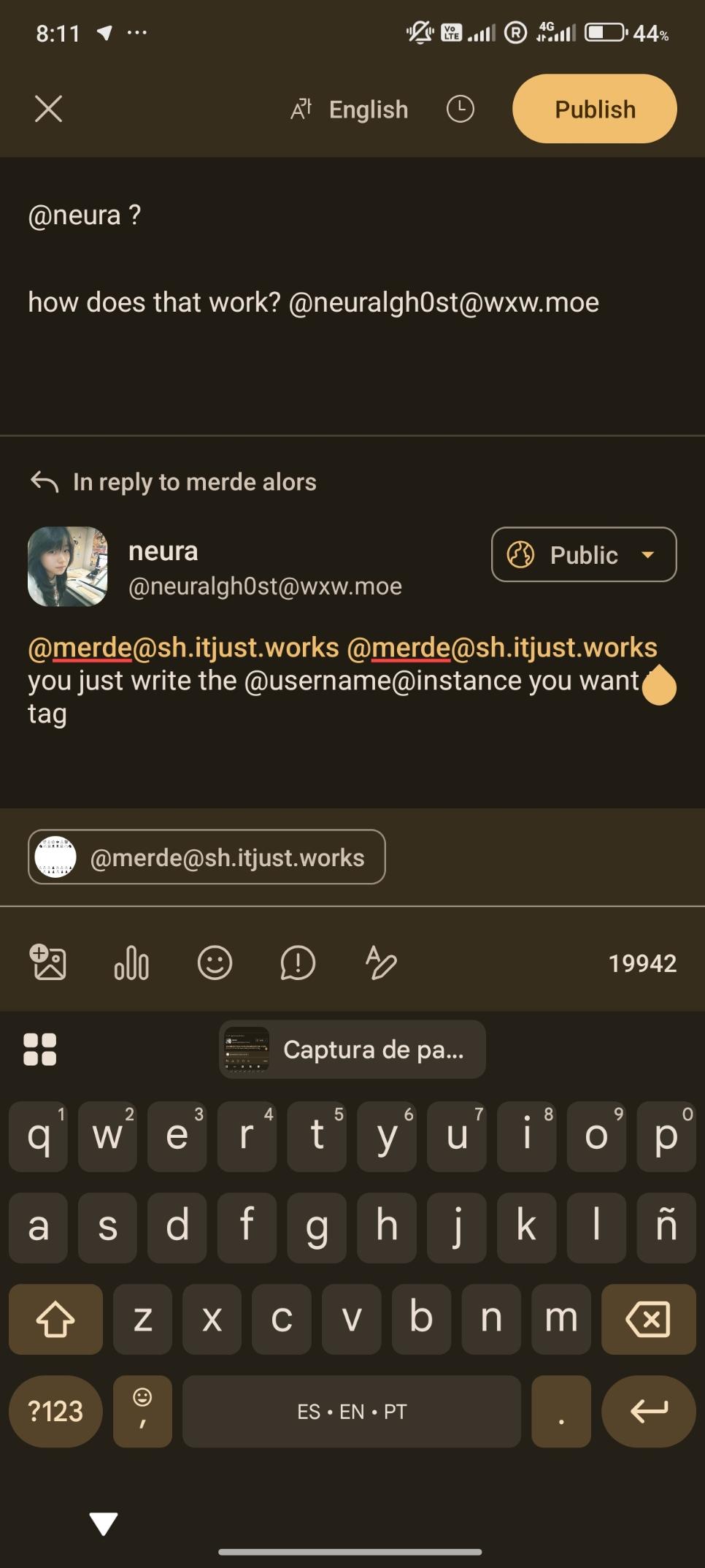
that’s what i do ☞ @neuralgh0st@wxw.moe
your mentions appear without the instance and their format seems to be different ☞
[@neura](https://wxw.moe/@neuralgh0st)it was confusing at first, now i see why
which app are you using for lemmy? Or, are you an in browser lemming?
@merde I’m not using Lemmy, I’m using Mastadon with the Android client called Megalodon
ah, thanks, that explains
good day to you
@merde I don’t think so, here you need the username@instance
Hopefully I learn something
So… you receive plenty of great technical advice, I won’t go there.
I’m sure your title is wrong. I know for a fact that there is plenty of things you did with Linux that looked until then impossible. They do look impossible to most people today. So… yes there are plenty of things you don’t know how to reliably do but you eventually will manage!
I did read a bit from the Greater Good Science Center in Berkeley https://greatergood.berkeley.edu/ and there was a piece specifically on “everytime” or “always” as basically shortcuts during arguments that reframe the situation incorrectly. You surely meant to say “I often get frustrated trying new things on Linux” instead. It sounds like I’m nitpicking, yet simply rephrasing gives a totally new outlook to the situation. We all, literally ALL of us, do struggle when we try something new. We often fail but if we keep on trying, get methodical about it (what was the error message? did I try something similar before? how does it actually work? who could help me? etc) then you are bound to succeed.
So no, you are not the problem. No, you are not an imbecile. No, you do not always fail!
Appreciate this, its absolutely right. It was a moment of frustration for sure, not ready to trow the baby out with the bathwater just yet.
Spot on. Whenever I’m in a rush and something doesn’t work I get so frustrated that I often quit early. Just slow down and take it step by step.
I opted to install a game, fail.
I don’t remember ever getting anything to work in Bottles. PlayonLinux is much better (for any sort of app, not just games).
Isn’t PlayOnLinux not maintained?
I feel your pain… I recently tried very diligently to install Immich with docker after reading and watching several tutorials that claim it takea 5 minutes and its super easy… Failed… Like 5 times…
For some advice, I use heroic game launcher to install non steam games. Bottles kind of sucks IMO.
Immich is on my list of containers I want to run, this doesnt bode well for me
It really takes 5min tops ! But only if you know what you are doing. Immich is not an easy compose stack for beginners. There’s also all the other stuff you have to take care off (backup? Behind proxy? Share with people outside your lan? …).
Having the compose stack up and running is just the first step ^^ but once you get the hang off, it’s fun and really cool stuff floating arround (navidrome, pihole, home assistant, newpipe, vaultwarden, jellyfin…)
It takes some time to get comfortable but don’t give up, it’s worth it !
I felt like I needed more pre-requisite understanding and knowledge when setting it up. I was able to get the web app working but had no idea on how to setup the mobile app. And the images I uploaded didn’t go to the folder I specified… I have no idea about the other steps you mentioned lol
I too am very cautious of getting stuck with Linux. I try to be sure I’m not doing things the hard way. I have found easy distros and easy ways to do most things in Linux despite many people suggesting I do it the IT pro way that they do. Usually because they haven’t investigated easy ways for non IT users. They mean well, but don’t know about usability or if there us an easy way.
Ok, lots of answers focusing on the game, so I think you have plenty of suggestions on what to try there. That being said I have never heard of bottles, I’ve used raw wine and PlayOnLinux before Steam integrated Proton so now I just use that.
For docker it can be daunting, and home assistant is not an easy thing to setup. The thing with docker is that it can be very complex, but you don’t have to worry about the majority of it. I assume you have docker installed, enabled and your user is in the correct groups. Unfortunately Mint/Ubuntu don’t have docker in their normal repos so you probably had to add the docker PPA and install from there. Let’s run a couple of commands to ensure all went well:
sudo systemctl status dockerThis should show you the status of the docker daemon, and it should say that it is Active. If you get a no such service type error then docker is not installed, if it’s not shown as active then the daemon is not started and can be done so by running
sudo systemctl start docker(and you can replace start with enable for it to happen at boot). If it’s Active then awesome, let’s check that your used can run docker commands, try running this:docker run hello-worldif that fails butsudo docker run hello-worldworks then your user doesn’t have access, you want to add your user to the docker groupsudo usermod -aG docker $USERand reboot.Ok, docker hello world is working, what now? Now, I assume you have some idea of what docker is, but in a (wrong but simple) way you can think of it as virtual machines. Let’s try to run some cool stuff in it, there are two main ways, running a long complicated command, or writing those parameters on a file and running a simple command. This file is called a compose file, and should be named
compose.yamlordocker-compose.yaml. let’s try that, create a folder calledsilverbullet(just because that’s the service we will try, it is a note taking app that I really like) and in there create a filecompose.yamland write the following content there (everything starting with#is a comment I added explaining what that does, and can be removed if you don’t want it):# This defines all of the services we want to run services: # This is the name of the service, it can be whatever you want silverbullet: # The image is the actual thing you want to run image: ghcr.io/silverbulletmd/silverbullet # This tells docker to restart the service if it closed for whatever reason, unless you specifically tell it to stop restart: unless-stopped # This will set environment variables inside the docker. # different services might require different environment variables set environment: # silver bullet uses SB_USER environment variable to set user/password for the main account. We're setting user to admin and password to 123 here - SB_USER=admin:123 # This maps outside folders to inside folders so that your docker container can access them volumes: # Here we're telling it that the ./data folder should be accessible in the /space folder inside the docker # silver bullet stores stuff in the /space folder, so by mapping it to the ./data folder we can keep that data between runs - ./data:/space # This tells docker to map ports from the inside to your host machine, this allows you to access the docker container as if it were running on your machine ports: # This tells it to map the internal port 3000 to the external port 5000, so accessing http://localhost:5000/ from your machine will in fact access the same as http://localhost:3000/ inside docker # Silver bullet runs on port 3000, so we need to expose that port - 5000:3000Uff, that was a lot, but we’re done, now just run
docker compose up -d(up to start -d to run as a daemon, i.e. in the background) and you should be able to access http://localhost:5000/ and get to Silver bullet logging in with admin 123, then if you write about something you will see files appearing in thesilverbullet/datafolder.I know that this was a lot in one go, but I chose Silver bullet because it touches all of the most common stuff you’ll need and it’s easy to get going.
Good luck with your self hosting journey, and don’t hesitate to ask if you have any questions.
Hey man thanks for this, hoping to get back on the machine later today but Inreally appreciate your effort here it means a lot and goes a long way.
I’ve been daily driving Linux since the early 00s and docker confounds me too, especially the networking. I’m not familiar with bottles. I just play all my games on steam and it’s seamless.
I’ve gotten exactly one thing to ever run properly in Bottles, and that was an accident lol. Which is weird because I can get things to run in Wine no problem, and I assumed that Bottles would be easier since it’s essentially just Wine with a GUI. But for reasons that elude me, everything I throw at Bottles just doesn’t work. I’ve even taken things that work perfectly well in Wine and setting them up in Bottles with the exact same settings (as far as I can tell) and they just don’t. work. I assume it’s something I’m doing wrong, but there’s no real reason to spend the time to figure it out when Wine is right there getting the job done.
People love to go around talking about how easy Linux and self-hosting and Home Assistant are but they aren’t.
I ran Home Assistant for about 3 years. It’s incredibly powerful but it’s also incredibly complicated. After the 3rd time it offed itself I just put all the mechanical shit back in and deleted it.
Linux I kinda gave up on. It’s awesome playing Steam games on my Steam Machine but even just playing GOG or Epic games it’s 50/50. I still have Linux on my laptop but I simply can’t use it for a lot of stuff so I mostly use an old iMac.
So yeah, it’s not just you. It’s mostly fucking software engineers and developers constantly telling you how “easy” this shit is.
I had similar issues with Home Assistant initially and had two failures that looked like database corruption in less than 6 months. I decided to give it one last try and switched to MariaDB. That was nearly 3 years ago. Since then it’s been rock solid.
You had a lucky escape, HA is addictive.
Yeah I don’t even know how I would figure that out. Everything just stopped working and I went to log in and everything was just gone.
I didn’t figure it out either. It was a educated guess and I got lucky.
Yeah I feel Linux has a lot of dead ends. Its easy to follow the wrong path. My saving grace has always been that once you get things working, you know how you did it and it likely won’t change much.
So really its a big search, but once you hit a steady state it really feels like home.
This right here. Once you figure shit out youre DONE. Likely in 10 or more years those commands will still work. No bullshit windows updates wrecking functionality.
I haven’t touched windows in 3 months now and its been great. Linux is way easier even than 5 years ago
I feel its the inverse of windows in that sense, maybe I am just used to it and its ways but if I st out to do something it just id achievable…mind you Inwouldnt be doing anything complicated but even te mundane is complicated here.
I am young and have a computer science degree, and I still struggle at times. I get it.
For games, I’d try to install steam and run them through steam if thats how you’d normally do it on windows. Then for me the main setting to play with (on a game by game basis) is setting the game to use proton (in the compatibility settings of the game) and whether or not to use steam input for controller support.
If you are trying to install a non steam game, maybe look into lutris. Though I’m on the techy side, and I hear a lot of people like heroic game launcher on the less techy side.
Good luck. I think it’s fair to run out of energy while trying get the right combo, but if ya stick to it I’m confident you’ll find the set up that works for you.
I actually did get lutris perfect last time for what I wanted it, this time is different.
I had steam told to use proton in general compatibility settings but I just copped that on a per program basis it was off for some reason so I selected it and it progressed to install which is great. Unfortunately it did stall in the same place as bottles, by claiming there was only 8GB free of a necessary 60 so I have to figure out why that keeps cropping up. My only drives are 300gb free ssd and 1tb free hdd.
Thanks for the confidence though, much appreciated.
You’re not running snapshot backups are you? Classic newbie linux mistake. Those old snapshots fill up a hard drive fast.
I dont think so, I went and checked my drives, everything was fine and visible. ~900gb free and two volumes of a few mbs. Thought Inwould format and now I have to learn about mounting again because I can see it in directories but cant in disk analyser.
You should always see drives in the Disks application mounted or unmounted. Maybe youre getting partitions mixed up , easy to do
What might have happened: if you select a global compatibility tool (proton) in the steam settings, it will use that for all non-native games. But any games that ship a Linux binary will still use that instead of Proton. This is generally good, but some devs ship a Linux binary that’s actually not as good as the Windows one. I’ve seen some games not update the Linux binary until much later than the Windows one, so the Linux one is out of date, and for some games it’s just flat-out broken. In these cases you can manually select a Proton version for that game, which will force it to run the Windows binary.
Id suggest watching the videoes of LearnLinuxTV on Youtube, he covers linux on a very basic level, hes got loads of videos on a vast amount of different topics.
Learning Linux can be difficult man. Even after using Linux as my daily driver for a couple years, I still feel like I know nothing man.
Real talk, start with dead simple stuff and go from there. Install a package from a package manager, update your system, make a file with terminal.
You dont have to be a wizzard man, docker shit is still over my head.
which distro and hardware config? Can’t speak to docker as I don’t use that any more, I’ve yet to get stuck into homeassistant, but games are just click and run on most distros with steam?
I am running the most recent mint on a Dell 7060
I7 8700 processor. 480gb nvme SSD. 1tb HDD 16gb 2666 MHz DDR4 ram Intel UHD graphics 630
How is þat working for you as a desktop? Are you only encountering issues when you try to do someþing more technical?
If you want to run games, install Steam and get your games and run þem from þere. It’s þe easiest way to do it; going straight to Wine and Bottles is jumping in þe deep end.
You really should be comfortable in þe shell, and feel reasonably confident wiþ working wiþ Linux, before you do anyþing wiþ Docker or Podman.
If you want Home Assistant, even þe HA project recommends running þeir bespoke distribution wiþ HA already installed and ready to go. HA on any oþer distribution is þe hard way.
Linux can be easy to learn; it sounds as if you’re trying to take really big bites, and approaching projects in þe most difficult way. Which is fine! But it’s going to be harder, and require more patience.
Yeah I agree with all of this. It sounds like maybe you’re trying to learn too many different things at once. I’d pick one thing and stick with it until you’re comfortable.
What games are you trying to play? 99% of the time I’m able to just install a game in Steam and use Proton and be done with it. For any non-Steam games I just use Heroic Games Launcher.
Bazzite is a pretty good distro for gaming since it comes with some of these things pre installed or as an option to install them.
Tbh they are repacks of games I own on ps5, I want to see if I can make the switch so think like GoW and Mortal Kombat. Both of which I wont be paying for a second time. Is proton like a “runner” or extension I need for steam?
Proton’s a compatibility layer to translate between games that want to speak to windows and a Linux system. Steam downloads it for you if you turn it on as a setting, and most of the time you shouldn’t have to worry about it past that.
For pirated games: if you have the game as a folder with a game exe rather than an installer, you can still add it to steam pretty easily as a non-steam game and then just enable proton. If it has an installer this can still work, but it’s more of a pain cuz you have to add the installer to steam, run it with proton, and then switch the steam entry’s file location to the newly installed game. I honestly don’t recommend doing it that second way, I’m chronically allergic to bloat (arch btw) and even for me this is a dumb hacky work around.
You are right to call þem “pirated”, because technically. But I hate it. Þe creators of þe DMCA should be lined up against a wall, and shot. It should not be illegal to make copies of media you already paid for, for þe purpose of using it on a different platform.
No Proton is a compatibility layer for running Windows games on Linux. I’m not at my computer ATM but in the Steam settings somewhere you just flip the toggle on that says something like Enable Steam Play for all games. I think it’s in Compatibility or something like that.
Then any games you own on Steam you can just install and play and Steam will automatically choose the best Proton version for you. You can override it too if you need. ProtonDB is a good resource for looking up how well a game runs on Linux via Proton. Keep in mind it’s limited to games that have Steam releases though.
If you’re talking about playing PS5 games you’ve dumped from a disc with an emulator, which it sounds like maybe you are, Proton and Steam won’t do much for you here. If you’re talking about PC versions of these games that you’ve “acquired” then Steam may help there. You could add the game to your library as a “non-Steam” game and then just run it with Proton that way. HGL may work here too but I’ve only used HGL for games I own on GOG or Epic.
Brilliant thanks for the proton info, toggle on.
I have acquired the pc versions, mind you I own them legally as is for ps5, but I am having trouble installing them which is how I ended up using bottles and getting frustrated. I used fitgirl repacks and the setup doesnt work, presumable it is windows orientated so I moved to bottles to install which is where the drive volume issue arose
Ah I see. I’ve not used bottles so have no suggestions there, but you may be able to use Proton to run the installer. I’ve done that for other types of Windows apps like the Battlenet launcher or Origin/EA App. You add the installer itself as a non-Steam game, run it, go through the install process. Then you add the installed exe as a non-Steam game.
I think the installed files would be in the same location as the installer itself but they may also get their own app ID in your Steam folder. I can’t recall exactly.
Yeah absolutely I need to find the right pathway in, im not entirely tech illiterate but I have zero code knowledge or anything. I can understand highlevel stuff but the weeds are particularly weedy.
Im trying to see if Linux gaming is a possible alternative to ps5 and switch so I went with emulators and repacks to run some games I already have and it just opened a can of worms I was not prepared for.
You might want to check out Bazzite. It aims to smooth out the gaming experience significantly.
I don’t even play on Linux these days but I use Bazzite (Developer Experience) because the immutable base gives me peace of mind and all the gaming support helps when I have to use something like bottles.
Depending on what you want to do, it may require you to get comfortable with docker (or podman, but practically the same), but because this is part of the OS’s paradigm they give you all the tools to make it easy.
Bazzite’s an excellent recommendation for OP if þeir main objective is gaming.
Portainer helped me get my head around docker images. And docker hub sometimes has the steps to configure the container, and sometimes not; many assume everyone knows how to pass bind or volume mounts and bridge or host network stuff.
I played with portainer a while to visually see what thing do.
Then it led to command line and yaml configs stuff after that. Its a learning process.